Video Settings
Aspect ratio, duration, resolution, and more
Click the settings icon (gear) to access advanced video controls.
kino.video
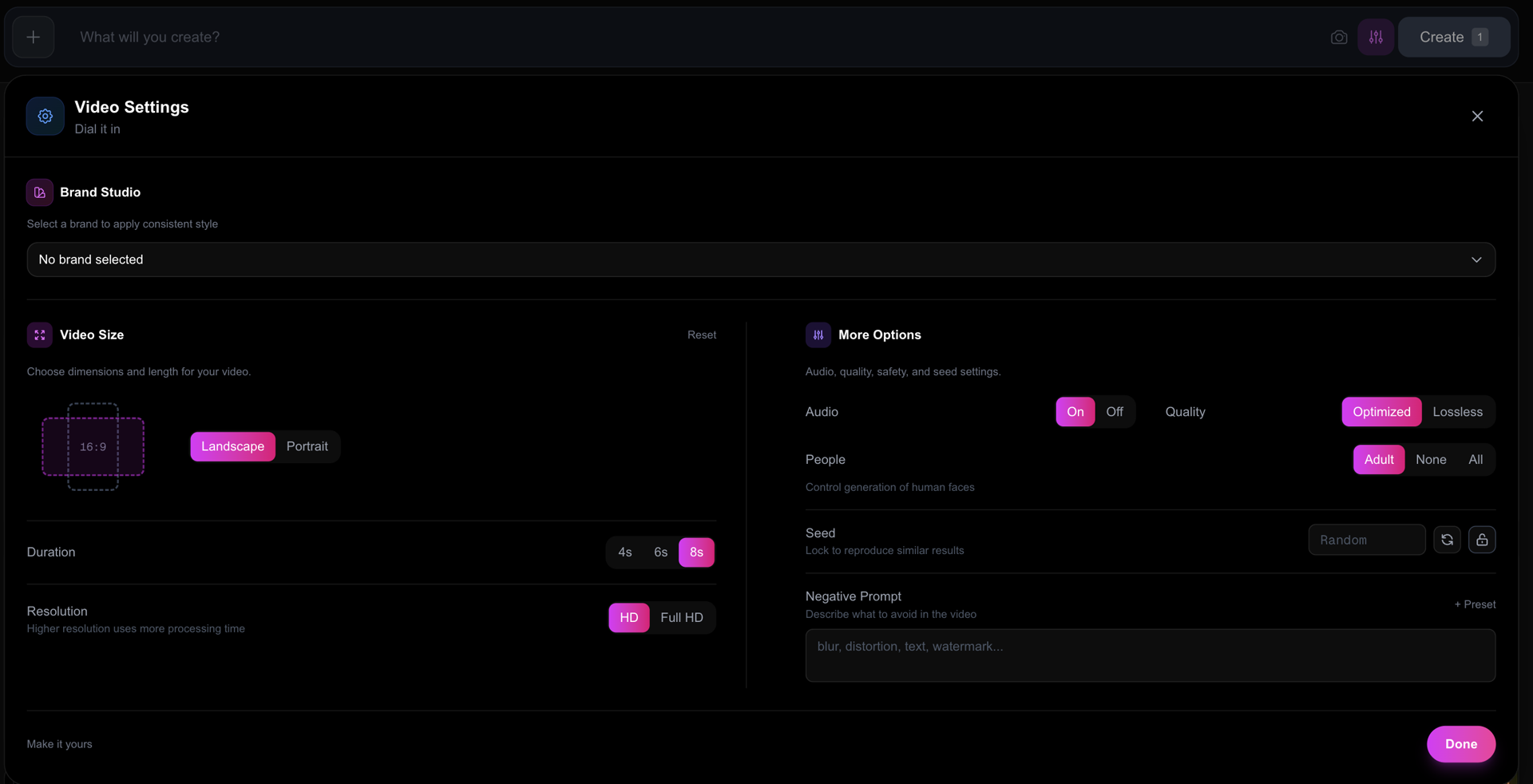
Video Size
Aspect Ratio
| Option | Use Case |
|---|---|
| 16:9 Landscape | YouTube, websites, presentations |
| 9:16 Portrait | TikTok, Instagram Reels, YouTube Shorts |
Duration
| Option | Best For |
|---|---|
| 4 seconds | Quick clips, social media loops |
| 6 seconds | Short scenes, transitions |
| 8 seconds | Full scenes, storytelling |
Resolution
| Option | Description |
|---|---|
| 720p (HD) | Faster processing, smaller files |
| 1080p (Full HD) | Maximum quality, longer processing |
More Options
Audio
Toggle AI-generated audio on or off. When enabled, KINO creates ambient sound, music, or effects that match your scene.
Seed
A number that influences the generation. Use the same seed to create similar variations of your video.
- Random - Let the AI choose (default)
- Lock - Keep the same seed for consistent results
Negative Prompt
Describe what you DON'T want in your video. Use presets or write your own:
| Preset | Adds |
|---|---|
| Quality | blur, noise, distortion, artifacts, low quality |
| Clean | text, watermark, logo, signature, border |
| Safe | violent, disturbing, inappropriate |