Brand Studio
AI-powered brand consistency layer
Brand Studio is your AI-powered brand consistency layer. Upload mood board images, and KINO Vision analyzes them to extract your "brand DNA" as a natural language style description that automatically applies to every video you create.
Why Brand Studio?
Creating consistent content across multiple videos is challenging. Colors drift, moods shift, and your brand identity gets diluted. Brand Studio solves this by:
- Extracting your visual identity from mood board images
- Generating natural language style descriptions the AI understands
- Automatically applying your brand style to every prompt
- Filtering out unwanted elements with avoid keywords
Creating a Brand
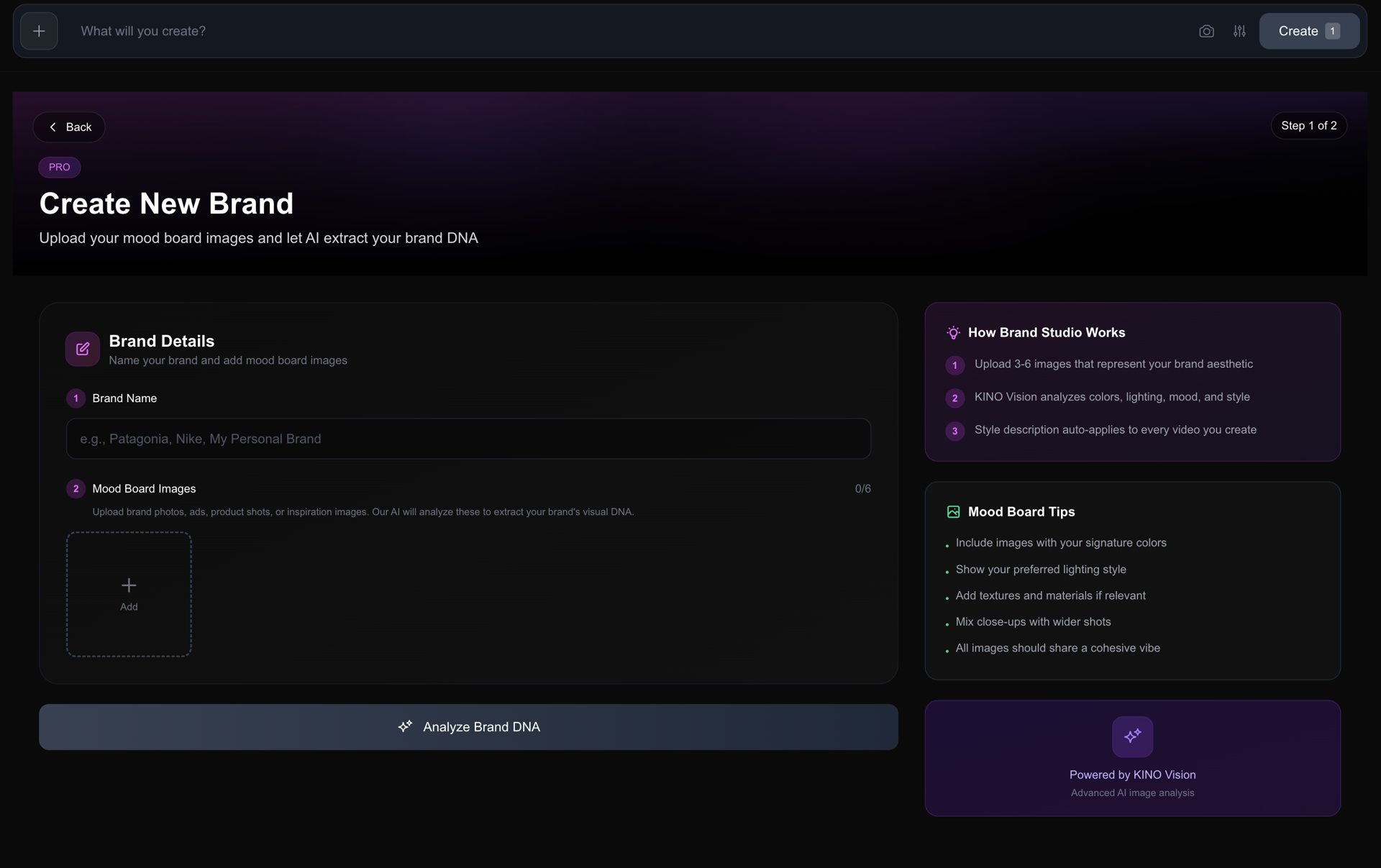
- 1Navigate to Brand Studio in the sidebar
- 2Click Create New Brand
- 3Enter a brand name
- 4Upload 1-6 mood board images that represent your brand aesthetic
- 5Click Analyze with AI
- 6Review and edit the generated style description
- 7Add any keywords you want to avoid
- 8Click Save Brand
Mood Board Best Practices
Your mood board images guide the AI in understanding your brand. Include images that represent:
| Element | Examples |
|---|---|
| Color Palette | Brand photos, color swatches, styled images with your signature colors |
| Lighting Style | Reference shots showing your preferred lighting (soft, dramatic, natural) |
| Texture & Materials | Close-ups of textures, surfaces, or materials common in your brand |
| Overall Mood | Images that capture the feeling you want (elegant, energetic, minimal) |
| Visual Style | Film stills, photography styles, or artistic references |
Tips:
- • Use high-quality, well-lit images
- • Mix close-ups with wider shots
- • Include 3-6 images for best results
- • All images should share a cohesive aesthetic
The AI Analysis
When you click "Analyze with AI," KINO Vision examines your mood board and generates a comprehensive style description covering:
- • Color palette in natural, evocative terms (e.g., "warm terracotta" not hex codes)
- • Lighting style (e.g., "soft natural window light," "dramatic high-contrast")
- • Texture and materials if apparent in your images
- • Overall mood and energy of your brand
- • Camera/visual style suggestions
- • Audio/voice vibe that would complement the visuals
Example: Real Estate Creator
Mood board: 5 images from your best property shoots
"Warm golden tones with soft natural light streaming through large windows. Clean modern interiors with organic textures—light wood, white marble, fresh greenery. Aspirational yet inviting atmosphere. Slow, steady camera movements. Ambient acoustic music vibe."
Avoid keywords:
"dark, gloomy, industrial, cluttered"
How It Works Behind the Scenes
When you submit a video with an active brand:
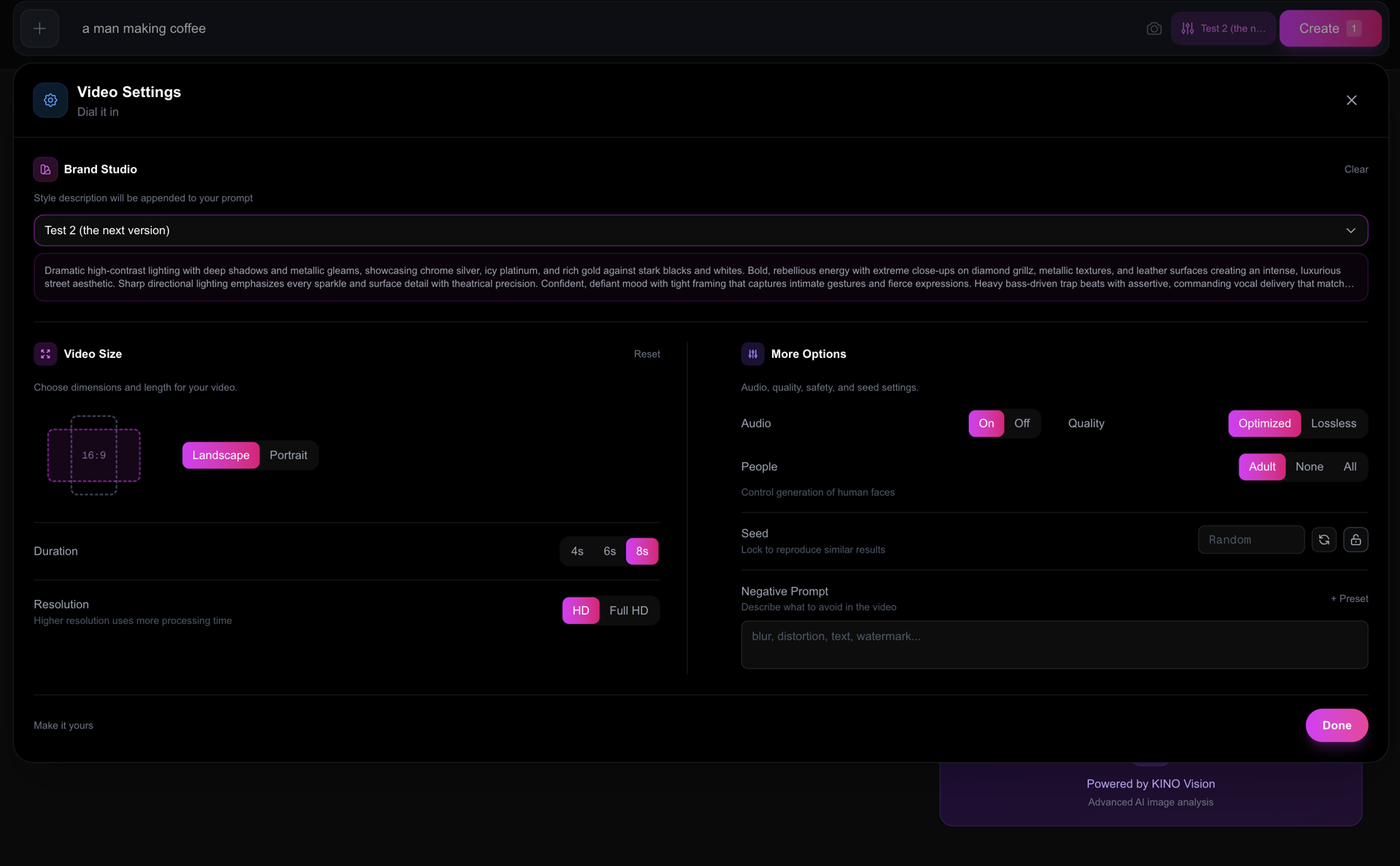
1. Your prompt is enhanced:
You write: "A woman walking"
Becomes: "A woman walking. Style: Warm earth tones with soft morning light, natural textures like linen and wood, calm and grounded energy, shallow depth of field with gentle movement"
2. Avoid keywords are merged:
Your negative prompt: "blur"
Becomes: "blur, neon colors, harsh shadows"
Brand Studio + Other Pro Features
| Feature | How They Combine |
|---|---|
| Prompt Coach | Your base prompt is scored; brand styling is added on submit |
| Camera Presets | Camera/lens/lighting presets stack with your brand style |
| Platform Templates | Templates apply first, then brand styling enhances them |