Getting Started
Create your first video in minutes
KINO uses AI to transform your ideas into videos. Simply describe what you want to see, and our AI brings it to life. Each video generation costs 1 credit.
kino.video
Your First Video
kino.video
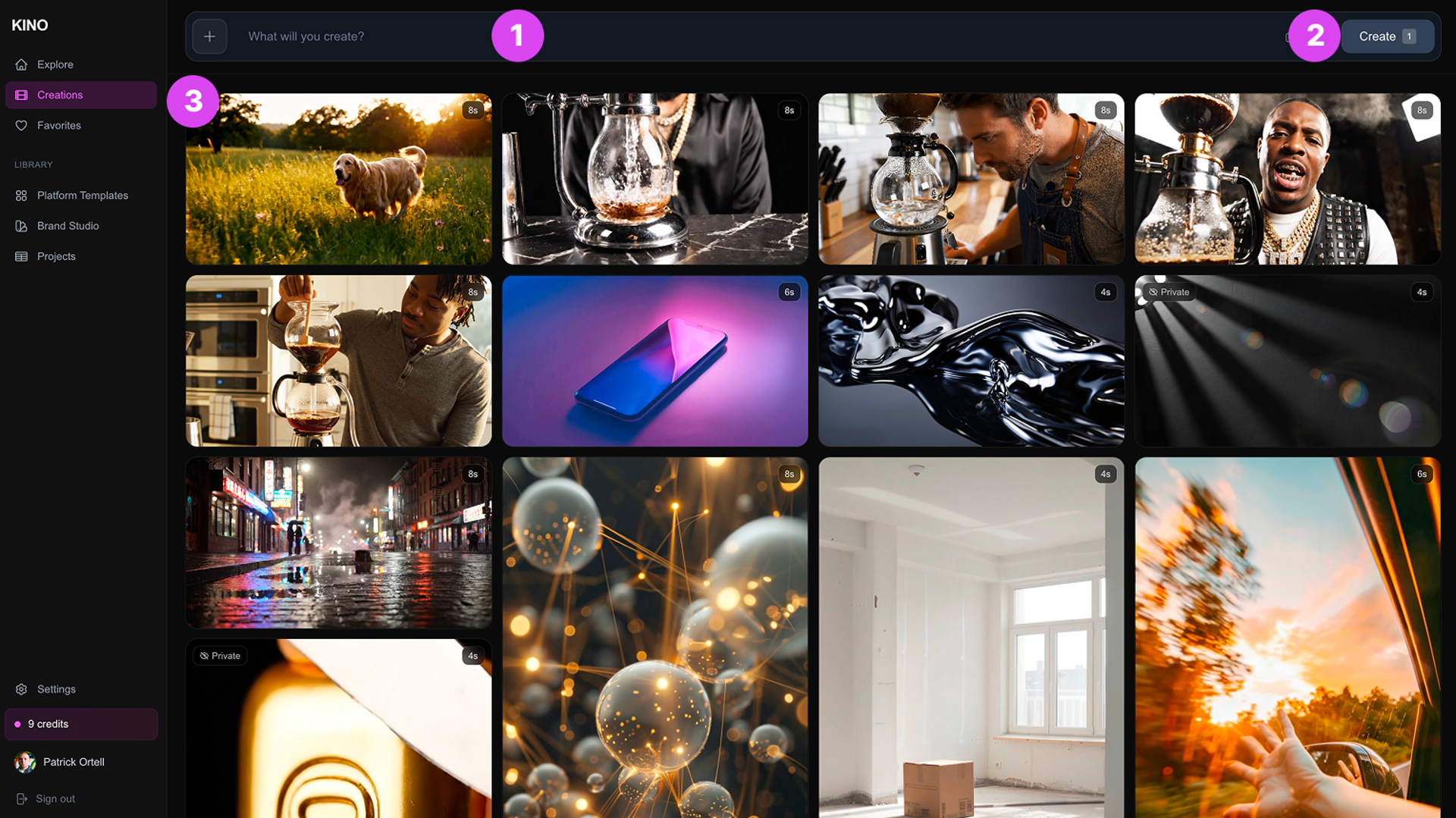
- 1Type a description in the prompt bar
Describe what you want to see in your video
- 2Click Create
Your video will generate in 2-5 minutes
- 3Find it in your Creations library
Download, share, or iterate on your video
Example Prompt
"A golden retriever running through a sunlit meadow, slow motion, golden hour lighting, cinematic wide shot, shallow depth of field"
kino.video